
Windows 10+
Installer
Show SHA256
081044f49ccab883ea5064001320fcc7a2d53cc9d44f6a2accd3c0ff3635d05c
Path of Exile 2 price-checking overlay
This Exiled Exchange 2 download guide links Windows, macOS, and Linux users to the latest official GitHub release. It also explains installation, first use, updates, compatibility, and common problems before you launch the overlay.
Independent guide. The installation files are delivered by the official Kvan7/Exiled-Exchange-2 GitHub repository, not hosted or repackaged here.
Verified release assets
Windows players should normally choose the installer because it starts faster and supports automatic updates. The portable Windows build is useful when installation is restricted, while the official release also provides an AppImage for Linux and a universal DMG for macOS. Each button waits 15 seconds, then opens the matching asset on GitHub Releases.
Windows 10+
081044f49ccab883ea5064001320fcc7a2d53cc9d44f6a2accd3c0ff3635d05c
Windows 10+
b136fa3f5d8fe9c80a782843f2401306c57c98b17c6746d59dfc608f7ab4e3aa
Linux
6801c510b7652fb71c729cc05bd44e1c5d616430274064cb2ed0e89d2d024f64
macOS
6bd2d1585b50f61f2a9adfec1f99cf611e3b1cf084e66c2ee4c5b521873214d4
The developer states that the official download page and official GitHub Releases are the recognized sources. This site does not modify, scan, sign, or mirror the files. Compare the displayed SHA256 with the digest returned by GitHub when integrity matters.
What the app does
This Exiled Exchange 2 download guide covers a community-built Path of Exile 2 price-checking overlay. The project is a fork of Awakened PoE Trade adapted for PoE 2 data, trade endpoints, items, modifiers, leagues, and interface behavior. It reads copied item text, parses relevant properties, and opens a compact search interface over the game window; it does not replace the official trade website.
The workflow is deliberate rather than automatic. Hover an item, press the price-check hotkey, choose meaningful modifiers, adjust roll ranges, and inspect comparable listings. Rare items still require judgment because modifier combinations, rolls, sockets, corruption, and current market conditions change what buyers may pay.
Exiled Exchange 2 is not the PoE 2 installer, an in-game marketplace, a trading bot, or an official Grinding Gear Games product. It is an open-source third-party utility. Use intentional searches, avoid process automation, and consult official support about account enforcement.
This page downloads the Exiled Exchange 2 desktop overlay. To install Path of Exile 2 itself, use the game's official platform or store. Searches for a crack, torrent, or repack are outside this site's scope.
Real interface examples
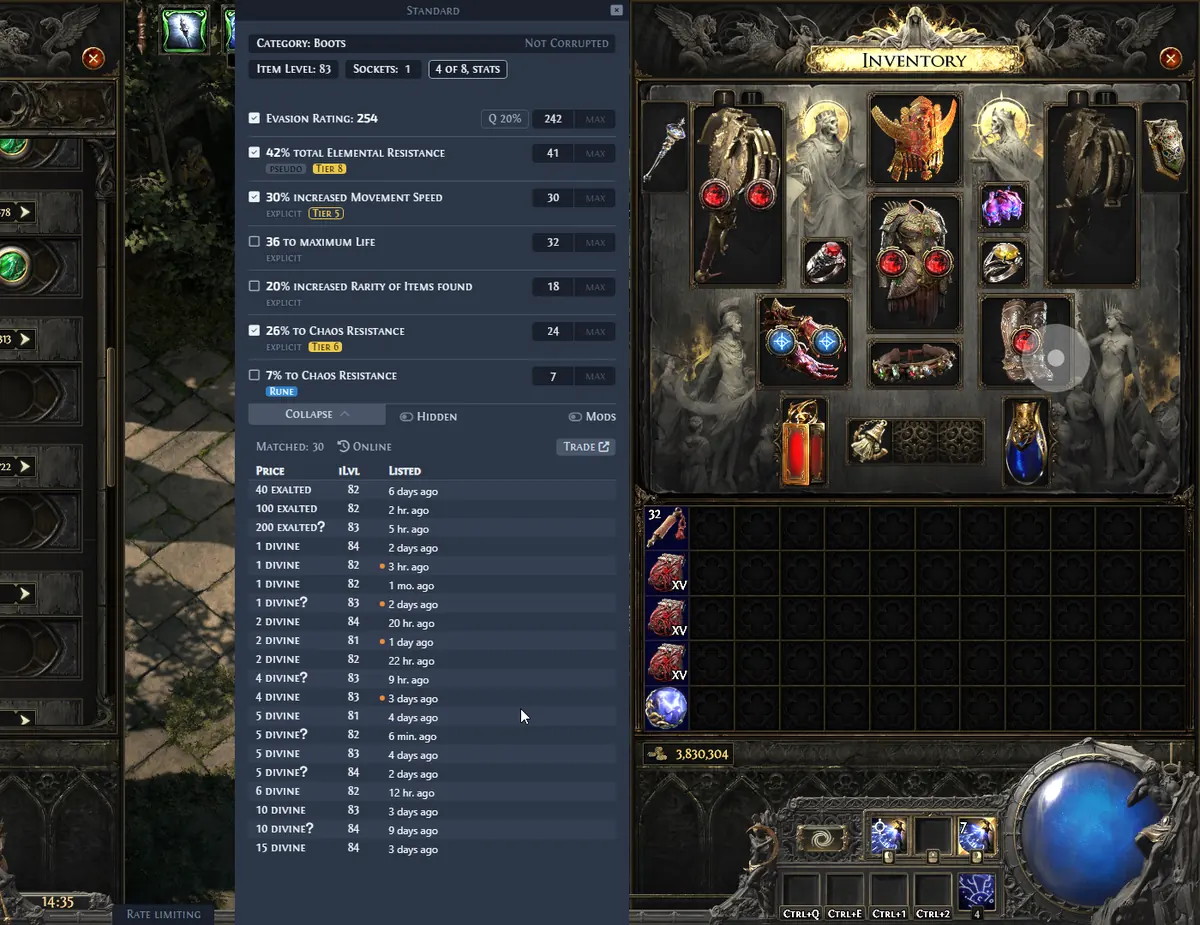
The official project screenshots below show the actual interface rather than a conceptual mockup. They demonstrate how the same overlay adapts its filters and listing view to different item categories.
Review explicit and pseudo modifiers, tune roll ranges, exclude misleading affixes, and compare current trade listings. Rare-item valuation still requires judgment because useful modifier combinations matter more than a single roll.
Official RareCheck screenshot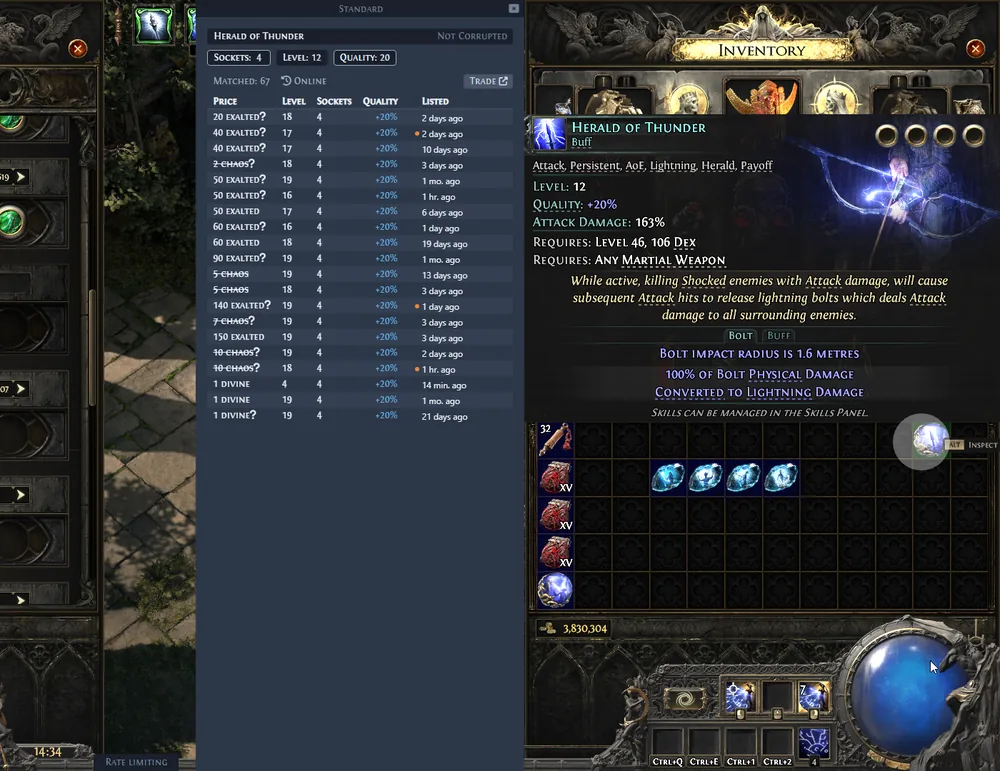
Search gems with fields that match their level, quality, corruption state, and other relevant properties. The focused form is faster than rebuilding a trade query from scratch for every gem.
Official GemCheck screenshot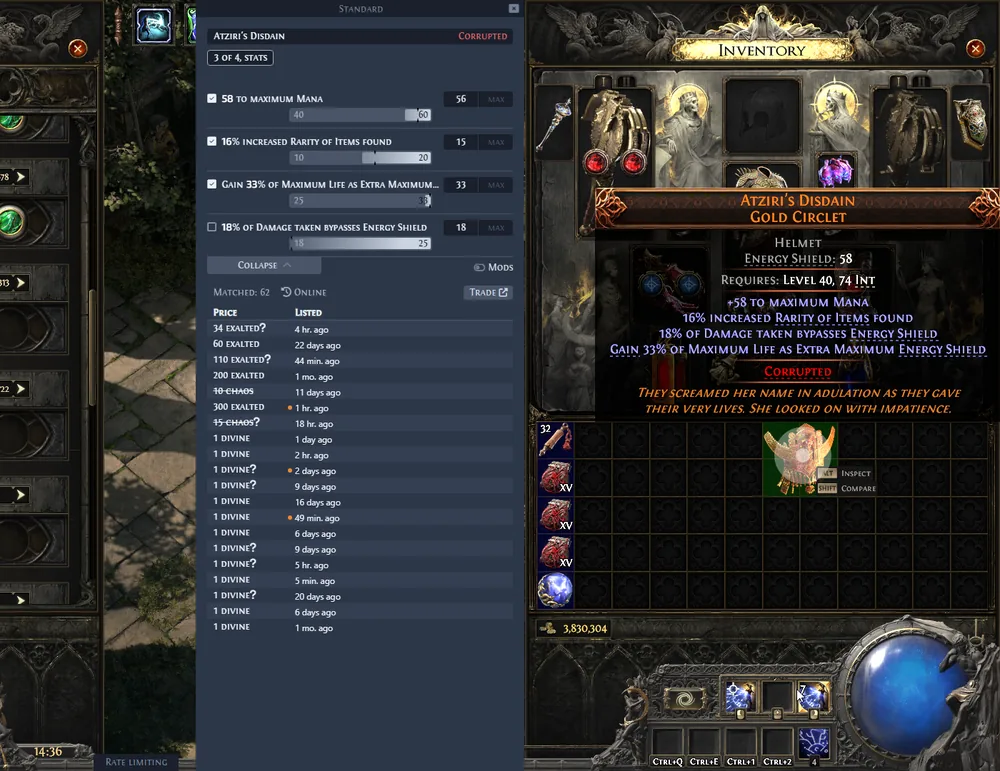
Identify the unique item, select meaningful variants, and compare listings while keeping roll differences visible. This helps avoid treating every copy of a unique as interchangeable.
Official UniqueCheck screenshot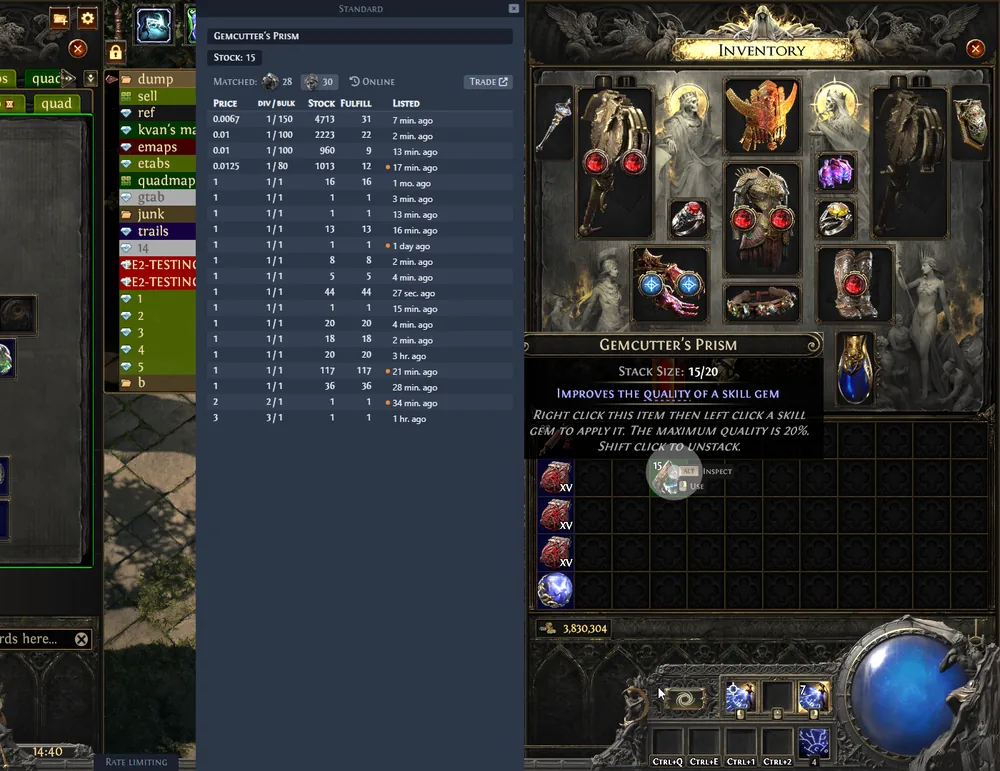
Open a currency-focused query and review current exchange listings. Currency pricing can move quickly after balance changes, league launches, or trade API updates, so current listings remain more useful than a static value list.
Official CurrencyCheck screenshotWindows quick install
Most visitors can finish the setup in a few minutes. The signed-status warning and overlay permissions are the two details most likely to cause confusion on a first launch.
Choose the Windows Installer above. The link resolves to the exact asset published under the latest official GitHub Release. Avoid GitHub's Source code ZIP files; they contain project source, not the Windows application.
The application is currently unsigned, so Windows or macOS may display a security warning. Confirm that the file name, release tag, GitHub repository, file size, and SHA256 match the information on this page before deciding whether to proceed.
Start Exiled Exchange 2, then launch Path of Exile 2 so the overlay can find the correct window and create its configuration. Windowed or Windowed Fullscreen display mode is required; exclusive Fullscreen is not supported.
Hover an item and press Ctrl + D. The app uses copied item text to prepare the search. Review the selected filters before treating the listings as a valuation, especially for rare items with several interacting modifiers.
Compatibility
The desktop build is available on three operating systems, but the overlay also depends on how Path of Exile 2 is displayed and whether clipboard data reaches the local machine.
| Requirement | Supported | Not supported or limited |
|---|---|---|
| Operating system | Windows 10+, Linux AppImage, universal macOS DMG | Mobile operating systems and browser-only use |
| PoE display mode | Windowed Fullscreen or Windowed | Exclusive Fullscreen |
| PoE languages | English, Russian, Portuguese, French, German, Spanish, Korean, Traditional Chinese, Japanese | Thai is listed as unsupported in the official requirements |
| Cloud gaming | Local game client with clipboard access | GeForce NOW and services that do not forward clipboard data |
| Administrator rights | Normally not required | If PoE 2 runs as administrator, the overlay must use the same privilege level |
Requirements are summarized from the official Exiled Exchange 2 documentation checked on July 10, 2026. Platform behavior can change with later releases.
Current release
The latest stable release focuses on compatibility with trade site API changes, currency handling, tooltip details, and more defensive error handling. Release data on this site is refreshed from the official GitHub API during the static build.
Learn how Exiled Exchange 2 updates workPractical answers
Use this Exiled Exchange 2 download guide to separate verified project behavior from claims an independent download site should not make.
Next steps